Brief and reference
Describe what you want to create
Follow a practical photo workflow from upload and edit brief to review, remix and export.
Upload one JPEG, PNG or WebP image up to 10 MiB, describe the edit and choose an available editing model. Keep the source image; edits cost 2 credits per output when enabled.
Keep the prompt, model choice, output and next decision together so the workflow does not disappear between tools.
Describe what you want to create
Model
Check current model availability
Start with this short input. Change one detail on the next attempt so you can tell which instruction affected the result.
In my photo, change only the tabletop to pale oak. Keep the product, label and shadow.
Zoom in on the lettering and the shadow where the product touches the table. Compare them with the original.
Qwen removed the tag from the supplied photo. The blue mug and its handle remain visible.
From a prompt to an edited product photo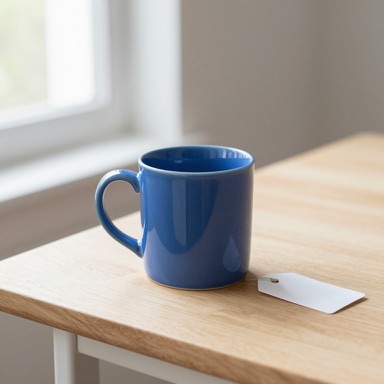
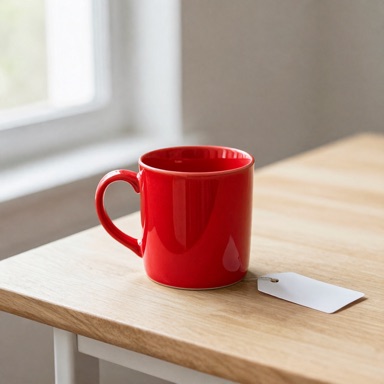
Photo enhancement and restoration
References checked:
These sources explain the named products and prompting methods. They do not verify an integration with FreeAIGenerator.ai or establish a performance ranking. Live model tests and measured costs have not been published here.
Start with a concrete result and a small input: one image brief, one video shot, one short script or one question with its source material. Save the original before trying a change.
Use one still JPEG, PNG or WebP: at most 10 MiB, 8,192 pixels on either side and 40 million pixels total. Only one still reference image is accepted.
Download the files you want to keep before your private links expire. Save the prompt if you plan to use it again.